
MCP server security testing: attack the tools before someone else's agent does
Any agent that connects to your MCP server can call its tools, steered by text you don't control. Here is what goes wrong, what already has, and how to find out what yours lets through.

MCP, the Model Context Protocol, is a standard way for AI agents to connect to tools and data. An MCP server is the piece that offers those tools: an agent connects to it and can then use them, for example to look up a customer or send an invoice.
You built an MCP server so agents could use your product. Every tool on it is now one call away for any agent that connects, including the tools that change billing or delete a workspace. And that agent takes instructions from anything it reads, including an email or web page an attacker wrote. Your pentest most likely did not cover it, and your agent tests did not either. So if someone asks what your server would do for an attacker, the honest answer is usually: we don't know.
Testing an agent tells you what the agent can be talked into. The server is a separate question: it runs a tool when it is asked, for whichever client is connected, and that is where the damage happens.
Enoki is built for MCP server security testing: it attacks a server from the outside, through the tools it offers, to find out what it can be made to do or hand over. We ran it against dozens of open-source MCP servers, and against the live servers behind products you use every day, through their public bug bounty programs. We iteratively improved it, and it found unpatched vulnerabilities in well-known MCP servers.
The demo server in this post is our own, filled with known defects and weaknesses that are present in a lot of MCP servers. It is the example we use throughout.
An MCP server is attack surface of its own
An MCP server offers 3 kinds of things to whatever connects to it: tools it can run, resources it can share, and prompts it can supply. This post is about the tools, the part of an MCP server that lets an agent act. A workspace server might offer tools like sync_billing, delete_workspace and purge_audit_log.
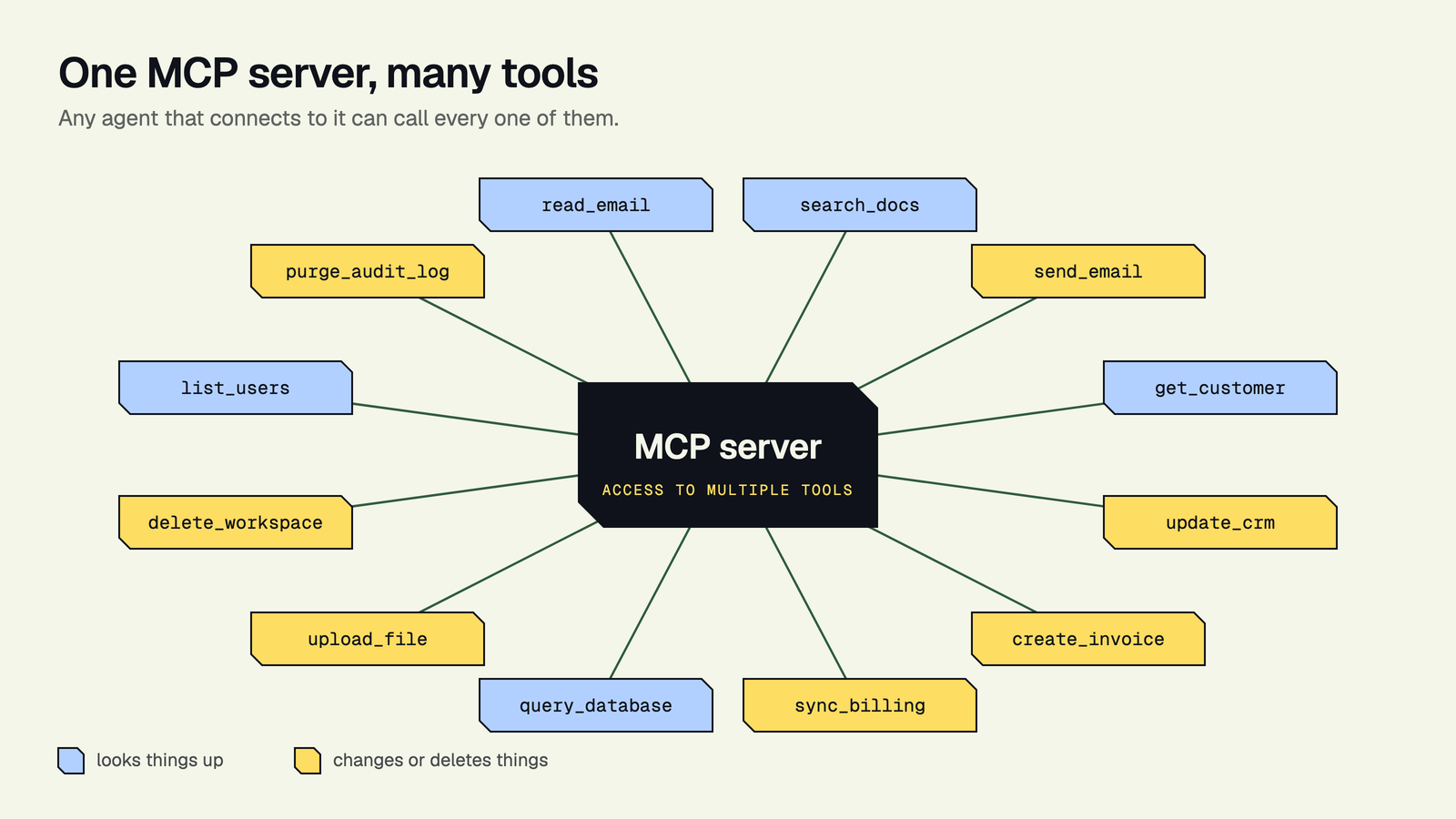
4 things make an MCP server different from an ordinary API:
- The caller is a model. The arguments a tool receives were written by a model, and that model takes instructions from anything it reads, including text an attacker planted.
- The server talks back. Tool descriptions, results and resources all reach the model, and the model may treat any of them as instructions.
- Anyone can connect. Any agent with the server's address and credentials can call its tools, your own agent included. To the server, a call looks the same whether it comes from a customer's agent, a developer's coding assistant or a malicious agent.
- It grows quietly. Add a tool to the server and every agent connected to it can use that tool, with no change to the agent itself. An agent you tested last month can now do things that test never covered.
That is why testing the agent is not enough on its own. If the rule "only admins may purge the audit log" lives in the agent's prompt and not on the server, the server will purge it for anyone who gets an agent to ask.
What goes wrong: the OWASP MCP Top 10
OWASP's MCP Top 10 names 10 risks. The project lists it as a beta, so expect that names and order can move in the future.
| Risk | In plain words | |
|---|---|---|
| MCP01 | Token Mismanagement & Secret Exposure | The server leaks keys or tokens it holds |
| MCP02 | Privilege Escalation via Scope Creep | A tool can do more than its caller should be allowed to |
| MCP03 | Tool Poisoning | A tool's description or output carries instructions the model follows |
| MCP04 | Software Supply Chain Attacks & Dependency Tampering | Something the server is built on has been tampered with |
| MCP05 | Command Injection & Execution | Tool input ends up executed as a command |
| MCP06 | Prompt Injection via Contextual Payloads | Content passing through the server steers the model |
| MCP07 | Insufficient Authentication & Authorization | The server doesn't check who is calling, or what they may do |
| MCP08 | Lack of Audit and Telemetry | Nobody can see afterwards what was called |
| MCP09 | Shadow MCP Servers | Servers running that nobody approved |
| MCP10 | Context Injection & Over-Sharing | The server hands the model more than the task needs |
7 of the 10 can be tested by attacking a running server. The other 3 are about how you build and run servers: supply chain (MCP04), audit trails (MCP08) and shadow servers (MCP09).
What has already gone wrong
4 public incidents from 2025, each tagged with the OWASP risk it falls under.
In 3 of these 4 cases, nobody broke into the server. Instead, an attacker hid instructions in text that an agent would later read: a tool's description, a GitHub issue or a support ticket. The agent followed those instructions and used the tools its MCP servers gave it. The servers carried out the requests, because to a server a request looks the same no matter who wrote the instructions behind it. The 4th case was different: a fake package that people installed by mistake.
What testing your MCP server looks like
A test with Enoki runs in 4 steps.
- 1Addthe server's address
- 2Attackthe tools it offers
- 3Readfindings per tool
- 4Fixand run it again
- You give Enoki the server's address and how to sign in. Nothing to install, and no access to your code.
Where to find the server's address: If you host it yourself, it's the URL you deployed it at. If it's a product you use, look in its settings for an "Integrations", "Developer" or "Connect an AI agent" page, often next to an API key. Running it only on your laptop for now: a tunnel such as ngrok or Cloudflare Tunnel gives it a public address to test against. - Enoki attacks every tool the server offers, the way an attacker would. You can follow its progress while it runs.
- You read the result per tool. Every finding sits on the tool it hit, so you know where to fix it, and the run reads against the OWASP MCP Top 10.
- You fix, and run it again to see the fix held.
What one run found
We ran Enoki against our demo admin server. These are the tools where it found problems:
| What it does | Open findings | |
|---|---|---|
| read_notifications | Reads outside content | 4 |
| purge_audit_log | Deletes | 3 |
| sync_billing | Changes | 2 |
| summarise_inbox | Reads outside content | 2 |
| delete_workspace | Deletes | 2 |
2 things stand out.
The first is that the tool with the most findings, read_notifications, changes nothing. It reads content from outside the server and hands it to the model. That is a problem because whoever wrote that content can put instructions in it, and the model may follow them. From there, an attacker can steer the agent to the tools that do change things.
The second is where most of the other findings sit: on tools that change or delete something, like purge_audit_log, sync_billing and delete_workspace. That is where an attack does its damage.
Compared with the OWASP MCP Top 10, 3 critical risks surface: Tool Poisoning (MCP03), Prompt Injection via Contextual Payloads (MCP06) and Insufficient Authentication & Authorization (MCP07). The combination is what makes it serious. The first two let an attacker's text reach the model and steer it. The third means the server then runs the call without checking who is asking or whether they are allowed to.
What to fix first
Start with the tools that change or delete something, and fix them on the server, not in the agent's prompt. A prompt is a request to the model; a check on the server is a rule.
- Check the caller on every call. The server, not the agent, decides who may run
purge_audit_log. - Accept only the input the tool needs. Refuse anything else instead of passing it on.
- Put a person in front of destructive tools. A confirmation the model cannot give on its own.
- Watch what you send back. Descriptions, notifications and summaries are all text the model reads, and text can carry instructions. Mark outside content as data, and send back no more of it than the task needs.
- Give each client its own scope. A shared token with every permission turns any successful attack into a full one.
Then test again. The server changes with every tool you add, and so do the agents that call it, so test both on every release.
5 questions for any MCP server you run
- Which tools change or delete something? Those are the ones to test first.
- Where is the permission check? On the server, or only in the agent's instructions?
- Who else can connect? Your agent, your customers' agents, developers' coding assistants.
- What does the server send back to the model? Descriptions and results are input to the next step.
- When was it last tested, and how many tools has it gained since?
Frequently asked questions
How do I get started?
Book a demo and we run a live test on your MCP server. If you want a smaller first step, the free agent scan attacks 1 risk in your agent, with no install.
What is MCP server security testing?
Attacking a Model Context Protocol server through the tools it offers, the way an attacker would, to find out what it can be made to do or hand over. It complements testing the agents that use the server.
Is testing the agent not enough?
No. An agent test shows what the agent can be talked into. A server test shows what the server's tools let through when they are called, by your agent or by any other client that connects.
What is the OWASP MCP Top 10?
OWASP's list of the 10 main security risks for MCP servers, from MCP01 Token Mismanagement & Secret Exposure to MCP10 Context Injection & Over-Sharing. OWASP lists it as a beta.
Does Enoki need access to my MCP server's code?
No. It needs the server's address and how to sign in to it, and it tests the server from the outside through the tools it offers.
How long does a test take?
It depends on how many tools the server offers.
Does a clean result mean my MCP server is secure?
No. It means the attacks in that run did not get through against the tools the server offered at the time. Test again when the server or its tools change.
Can I test any MCP server?
Only servers you own or have permission to test.
Is this the same as the Enoki Labs MCP server?
No. The Enoki Labs MCP server lets your coding agent run Enoki. MCP server testing attacks your own MCP servers.